Next.js
Create your Next.js project
Start by creating a new Next.js project. This command will create a new directory named my-workflow-app and set up a Next.js project inside it.
Enter the newly created directory:
Install workflow
Configure Next.js
Wrap your next.config.ts with withWorkflow(). This enables usage of the "use workflow" and "use step" directives.
Setup IntelliSense for TypeScript (Optional)
To enable helpful hints in your IDE, setup the workflow plugin in tsconfig.json:
Configure Proxy Handler (if applicable)
If your Next.js app has a proxy handler (formerly known as "middleware"), you'll need to update the matcher pattern to exclude Workflow's internal paths to prevent the proxy handler from running on them.
If you see [local world] Queue operation failed with Cannot perform ArrayBuffer.prototype.slice on a detached ArrayBuffer, your proxy matcher is still intercepting Workflow's internal POST /.well-known/workflow/v1/flow request. This issue can be hard to spot in Next.js 16, where proxy.ts replaced middleware.ts.
Add .well-known/workflow/* to your matcher exclusion list:
This ensures that internal Workflow paths are not intercepted by your middleware, which could interfere with workflow execution and resumption.
Create your first workflow
Create a new file for our first workflow:
We'll fill in those functions next. The current code does the following:
- We define a workflow function with the directive
"use workflow". Think of the workflow function as the orchestrator of individual steps. - The Workflow SDK's
sleepfunction allows us to suspend execution of the workflow without using up any resources. A sleep can be a few seconds, hours, days, or even months long.
Create your workflow steps
Define the missing functions.
Taking a look at this code:
- Business logic lives inside steps. When a workflow invokes a step, the workflow suspends while the step runs with full Node.js access. The combined handler may execute it inline; queued retries and continuations return through the same flow route.
- If a step throws an error, like in
sendWelcomeEmail, the step will automatically be retried until it succeeds (or hits the step's max retry count). - Steps can throw a
FatalErrorif an error is intentional and should not be retried.
We'll dive deeper into workflows, steps, and other ways to suspend or handle events in Foundations.
Create your route handler
To invoke your new workflow, we'll need to add your workflow to a POST API Route Handler, app/api/signup/route.ts, with the following code:
This Route Handler creates a POST request endpoint at /api/signup that will trigger your workflow.
Workflows can be triggered from API routes, Server Actions, or any server-side code.
Run in development
To start your development server, run the following command in your terminal in the Next.js root directory:
Once your development server is running, you can trigger your workflow by running this command in the terminal:
Check the Next.js development server logs to see your workflow execute, as well as the steps that are being processed.
Additionally, you can use the Workflow SDK CLI or Web UI to inspect your workflow runs and steps in detail.
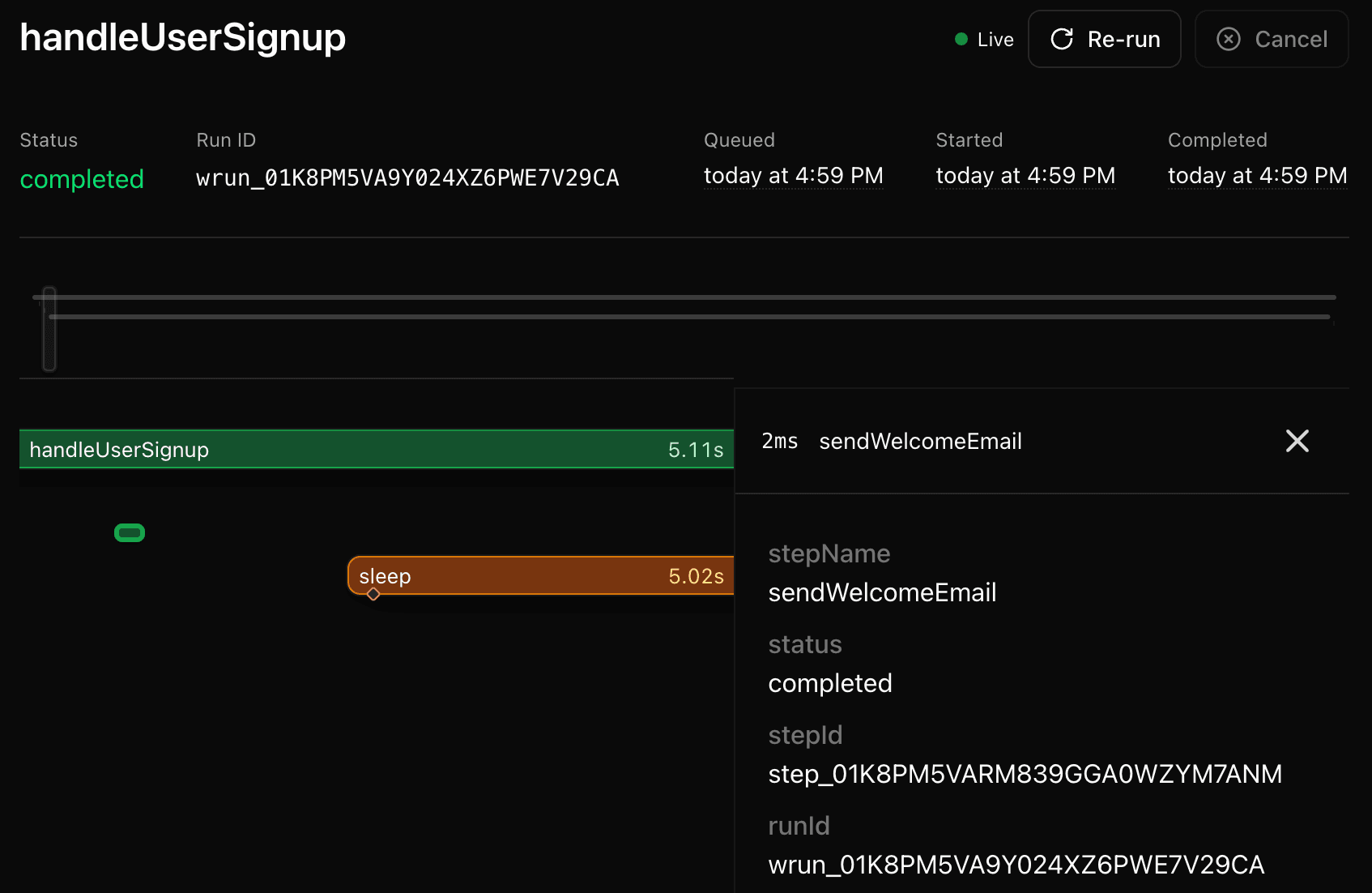
Deploying to production
Workflow SDK apps currently work best when deployed to Vercel and need no special configuration.
Check the Deploying section to learn how your workflows can be deployed elsewhere.
Troubleshooting
Next.js 16.1+ compatibility
If you see this error when upgrading to Next.js 16.1 or later:
Upgrade workflow to the latest release:
Turborepo caching
If you're using Turborepo in a monorepo, you need to include the generated Workflow routes in your cache outputs. The Workflow SDK generates route handlers at app/.well-known/workflow/ (or src/app/.well-known/workflow/ if your project uses the src directory) during the build process, and these files must be cached alongside your Next.js build output.
Add the following to your turbo.json:
Without this configuration, you may experience intermittent issues where workflows fail to register properly on cache hits, while working correctly on cache misses.
If you set workflows.experimentalRoutePrefix, include the prefix in these globs (for example app/dashboard/.well-known/workflow/**).
start() says it received an invalid workflow function
If you see this error:
Check both of these first:
- The workflow function includes
"use workflow". - Your
next.config.tsis wrapped withwithWorkflow().
See start-invalid-workflow-function for full examples and fixes.
Next steps
- Learn more about the Foundations.
- Check Errors if you encounter issues.
- Explore the API Reference.